Switch regions, lower your ping, and access Garena Free Fire from restricted countries. Connect to VPN Super and play Free Fire securely on any device.

Region locks and mid-match drops kill the game. Free Fire assigns a permanent server based on your IP at first login, and there's no in-game way to change it later. A VPN lets you choose your region before you open the app — so you can switch servers, cut lag, or play from a country where Free Fire is restricted.
Free Fire locks each account to whatever region its IP points to on first login. To play on a different server, you need to create a new account while connected to a different location. A VPN lets you connect from Indonesia, Brazil, or any supported country before opening the game, so your new account lands on the server you actually want.
High ping turns every close-range fight into a coin flip. If your internet provider routes traffic through congested paths, a VPN can shorten the route between your device and Free Fire's game servers. Connect to a VPN server near the game's infrastructure for a more responsive match.

Some internet providers slow down gaming traffic during peak hours. The VPN encrypts your connection so your ISP cannot identify Free Fire traffic specifically, which helps keep speeds consistent. VPN Super's fast VPN servers are built to keep latency low during live matches.

Free Fire has been banned in India since February 2022 under Section 69A of the IT Act, and it remains off the Google Play Store and App Store there. Players in Bangladesh and parts of the Middle East also run into network-level blocks. A VPN routes your connection through a country where the game is available, restoring access to gameplay and updates.
The Free Fire advance server gives selected players early access to upcoming features before they roll out globally. Registration is region-restricted, and India is excluded entirely. Connecting through a VPN to an eligible region lets you reach the official registration portal, download the APK, and activate your code.
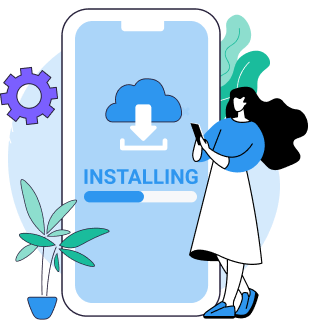
Pick a VPN serve close to the Free Fire region you want to play on. Singapore, Indonesia, and Brazil work well for the largest player pools and lowest ping.

Wait for the green shield. Open Free Fire and jump into your match with a stable connection.

Trying to change your Free Fire server? Free Fire assigns your server based on your IP at first login, so the VPN must be connected before you open the App. Clear your Free Fire app data (Settings → Apps → Free Fire → Clear cache and data), connect to the VPN, then reopen the game and register a new guest or Google account in the region you want.
Free Fire runs regional servers across Southeast Asia, South Asia, Latin America, the Middle East, and Europe. The right VPN server depends on which Free Fire region you want to play on and which server is closest to you.
| Your location | Recommended VPN server | Why |
|---|---|---|
| Southeast Asia | Connects to Free Fire's largest player base for faster matchmaking and lower latency. | |
| Latin America | Routes to Free Fire's Brazilian server, which has a large active player community and region-exclusive events. | |
| Europe | Stable, low-latency routing to European Free Fire servers, with full game-feature access. |
| Your location | Recommended VPN server | Why |
|---|---|---|
 India India | Free Fire banned since February 2022 | Connect to a Singapore or Indonesia server. Sideload the Free Fire APK from a trusted source while the VPN is connected. |
 Bangladesh Bangladesh | Restricted on certain mobile and ISP networks | Connect to a Singapore or Indonesia server. Both are close enough to keep ping low. |
 Indonesia Indonesia | Available, but school and office networks often block gaming traffic | Connect to an Indonesia server to bypass local network filters. International players can also use this server to join Indonesia-exclusive Free Fire events. |
 Brazil Brazil | Available — popular for region-exclusive events | Connect to a Brazil server to access Free Fire's Brazilian region and its event calendar. |
Premium servers run at up to 10Gbps, built for gaming, streaming, and anything speed-sensitive.

WireGuard adds minimal latency. It's the go-to protocol for gamers who need speed without sacrificing encryption.

Choose a server near your game's infrastructure for the lowest ping, or unblock content from other regions.

Game for as long as you want. VPN Super doesn't set bandwidth limits or slow your connection.

One Premium Subscription covers your phone, tablet, laptop, and PC all at once.

Route your game through the VPN while keeping other apps on your local network. Available on Android.
Start with the Free VPN to test your connection. When you're ready for 10Gbps servers, more locations, and an ad-free match, the Premium Subscription has everything covered.
| Feature | Free VPNs | Premium Subscription |
|---|---|---|
| Access to game servers | Yes | Yes |
| Unlimited bandwidth | Yes | Yes |
| AES-256 encryption | Yes | Yes |
| 10Gbps servers (lowest ping) | No | Yes |
| 100+ countries (more server options) | No | Yes |
| Ad-free gaming | No | Yes |
| Up to 10 devices | No | Yes |
Quick, easy and stable connection.
Greatest app ever made, never let's me down on gaming mode.
It actually helps with lag and is very useful for gaming



VPN Super is a strong choice for Free Fire because of its 10Gbps Premium servers and WireGuard protocol. Both keep latency low while encrypting your connection, and the App lets you switch server regions in one tap — useful for players who want to change their Free Fire region or play from a restricted country.
It can. If your ISP routes traffic through congested paths, a VPN can create a more direct route to the game servers. Connect to a server near Free Fire's infrastructure — Singapore, Indonesia, or Brazil — for the best result. A distant server will add overhead, so the closer the server is to the game region you want to play on, the better.
The most common cause is connecting to the VPN after opening Free Fire, which can flag the sudden IP change. Close the game, reconnect to the VPN, then relaunch Free Fire. If the issue continues, switch to a different VPN server in the same country — VPN Super rotates IPs regularly, so a fresh server usually resolves it.
Garena does not aggressively ban players for VPN use. The Free Fire policy targets accounts that use a VPN to exploit in-game mechanics, evade a previous ban, or manipulate regional pricing. Using a VPN to reduce ping, protect your privacy, or play from a restricted country is a legitimate use case. Avoid switching VPN locations mid-match, since sudden IP changes during a session can trigger automated flags.
Free Fire's terms of service do not explicitly prohibit VPNs. The policy focuses on cheating, account abuse, and pricing manipulation. As long as the VPN is used for a legitimate reason — privacy, performance, or geo-access — it falls within acceptable use.
Free Fire can sometimes flag known VPN IP addresses. VPN Super refreshes its IP pool regularly to reduce the chance of detection. If a server is flagged, disconnect and reconnect to a different server in the same country.
Download VPN Super on Android or iOS. Open the App, pick a server (Singapore, Indonesia, or Brazil work well for most players), tap Connect, wait for the green shield, then open Free Fire. The VPN protects your full device connection automatically.
Yes. Free Fire has been banned in India since February 2022, but a VPN Super server in Singapore or another country where the game is available restores access. Since Free Fire is not listed on the Indian Google Play Store or App Store, you'll need to install the APK from a trusted source while the VPN is connected.
Using a VPN is legal in Bangladesh, but local regulations around online gaming and content access can change. Connecting through a Singapore or Indonesia server gives the best balance of speed and full game access. As always, review current local rules before connecting.
Often, no — many school and office networks block gaming traffic. VPN Super encrypts your connection so the network sees one outbound tunnel instead of Free Fire traffic. For students, the student discount keeps the Premium Subscription affordable.
Yes. VPN Super runs on Android 8 and above, including budget and entry-level devices that make up a large share of Free Fire's player base. The App is lightweight and supports WireGuard, which is well-suited to phones with limited resources.

Not completely satisfied? Reach out within 30 days for a full refund. No hassle. No questions asked.
