Encrypted streaming on public Wi-Fi. Steadier speeds when your ISP throttles. Your home Tubi library, wherever you're connecting from.
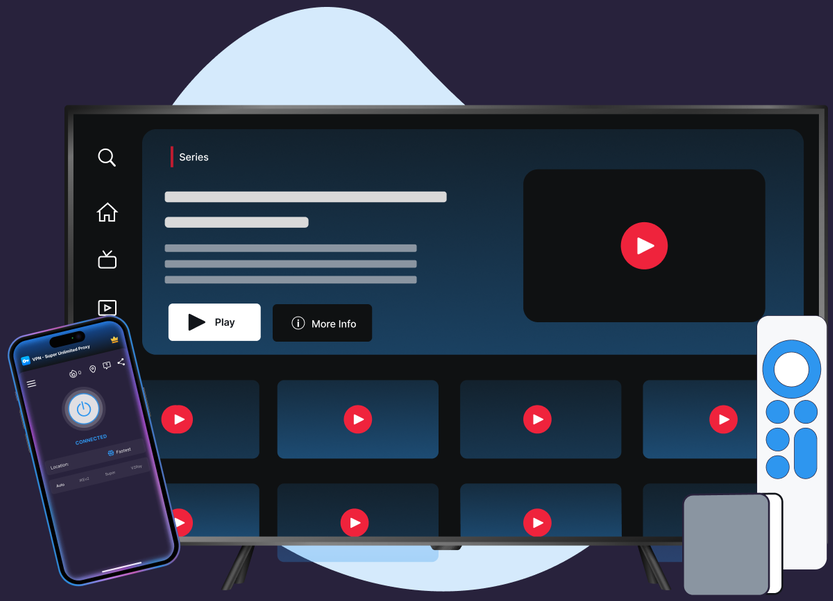
Protocols, leak protection, and platform coverage chosen for streaming reliability and privacy.
Fastest Location auto-selects the lowest-latency server, so you don't have to guess which one to pick.
High-bandwidth clusters in major locations support smooth HD and 4K playback.
No data caps, so a long Tubi binge never runs into a limit.
Cover your phone, laptop, and living-room TV under one subscription.
A wide, actively maintained server network chosen for streaming reliability.
DNS and IPv6 leak protection on Windows, Mac, and Android TV keep your streaming private.
No account changes and no special settings—just install VPN Super, connect, and open Tubi.
Get VPN Super for iOS, Android, Windows, Mac, Apple TV, or Android TV.
Tap Fastest Location and VPN Super picks the lowest-latency server for you automatically.
Your connection is encrypted end to end, on public Wi-Fi, at home, or on the road.

Pro tip: if Tubi won't play, switch protocols (Auto → Super → IKEv2 → OpenVPN on mobile; WireGuard or OpenVPN on Windows) and reconnect to a server in your home region.
Tubi doesn't publish a VPN-detection statement the way some streaming services do. Here's what its own Help Center says about where Tubi is available, and what VPN Super actually changes.

Tubi loads normally over VPN Super. What you see still follows Tubi's own account licensing, not us.

Per Tubi's Help Center, it's officially available outside the US in Canada, Australia, the UK, Mexico, and Puerto Rico. Tubi doesn't publish a VPN-detection statement the way some streaming services do.

Privacy on public Wi-Fi, resistance to ISP throttling, and a private connection to your home network while traveling.
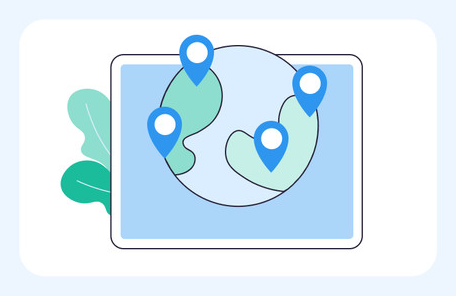
A sample of VPN Super's server locations—chosen for coverage and low latency, not for content access.








See exactly what changes when you add VPN Super to your Tubi streaming session—privacy, speed, and device coverage.
| Features | Without a VPN | VPN Super |
|---|---|---|
| Public Wi-Fi privacy | Traffic is visible to the network you're on | Encrypted end-to-end |
| ISP throttling | May slow streaming at peak hours | Traffic shape is hidden—harder to throttle |
| Leak protection (DNS/IPv6) | Not applicable | Available on Windows, Mac, and Android TV—see device pages for other platforms |
| Tubi catalog | Determined by your account's licensed region | Same catalog—unchanged by VPN Super |
| Devices covered | One connection at a time | Up to 10 devices on one subscription |
Download VPN Super on the platforms you actually use to stream Tubi, at home and on the go.




"Amazing app! I've been able to access different applications that were once banned in my region"
"Great VPN with fast speeds and instant connection. Has no timeout and has many locations as well."
"This is one of the best apps you can get if you're trying to access content while travelling internationally."
Privacy on public Wi-Fi at cafés, airports, and hotels, steadier speeds when your ISP throttles streaming, and a stable connection to your home network while you travel.
Yes—Tubi loads normally over VPN Super. What you see is still governed by Tubi's own content licensing for your account's home region, not by VPN Super.
Yes. Tubi is officially available in the US and a short list of other markets—per Tubi's own Help Center: Canada, Australia, the UK, Mexico, Puerto Rico, and several Latin American countries. Catalog and availability follow Tubi's own licensing, not VPN Super.
VPN use is legal in most countries, though this varies by jurisdiction—check your local laws. Tubi's own Terms of Service govern how the service may be accessed.
Yes. VPN Super's free plan (20 countries/42 locations on iOS, 15 countries/26 locations on Android) uses the same encryption as Premium for public Wi-Fi privacy and throttle resistance.
Yes. Native tvOS and Android TV apps route your connection through VPN Super's Premium server network—53 locations on Apple TV, 33 on Android TV.
Some speed reduction is normal with any VPN because of encryption and routing, but VPN Super's streaming-optimized servers, including 10Gbps clusters in several locations, are built to keep HD and 4K playback smooth.
Tubi doesn't publish a specific VPN-detection message the way some streaming services do. If playback is interrupted, try switching protocols (Auto, Super, IKEv2, OpenVPN on mobile; WireGuard or OpenVPN on Windows) and reconnecting to a server in your home region.
Install VPN Super on your device, sign in, tap Fastest Location to connect, and open Tubi as usual.
Download VPN Super today and get an encrypted, private connection for every Tubi streaming session.